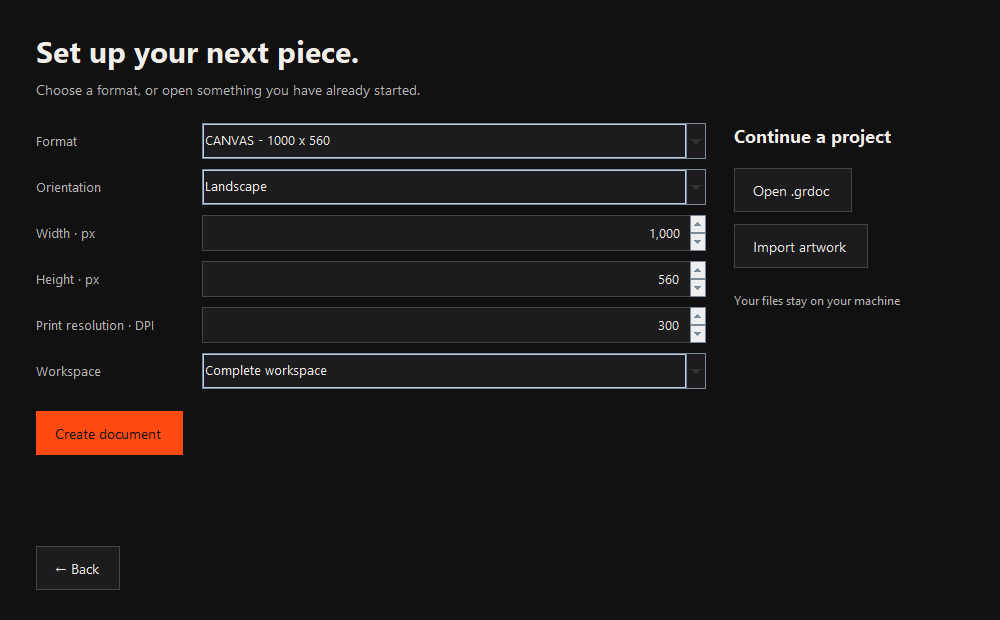
Choose your format.
Start with a canvas preset and orientation, or open an existing piece. Layout tools let you place and organize multiple artboards.
GRAPHIC RUNNER / SILICA
A local desktop workspace for lettering, shape artwork, materials, and layouts. Here’s how the pieces come together.
01 / YOUR WORKSPACE
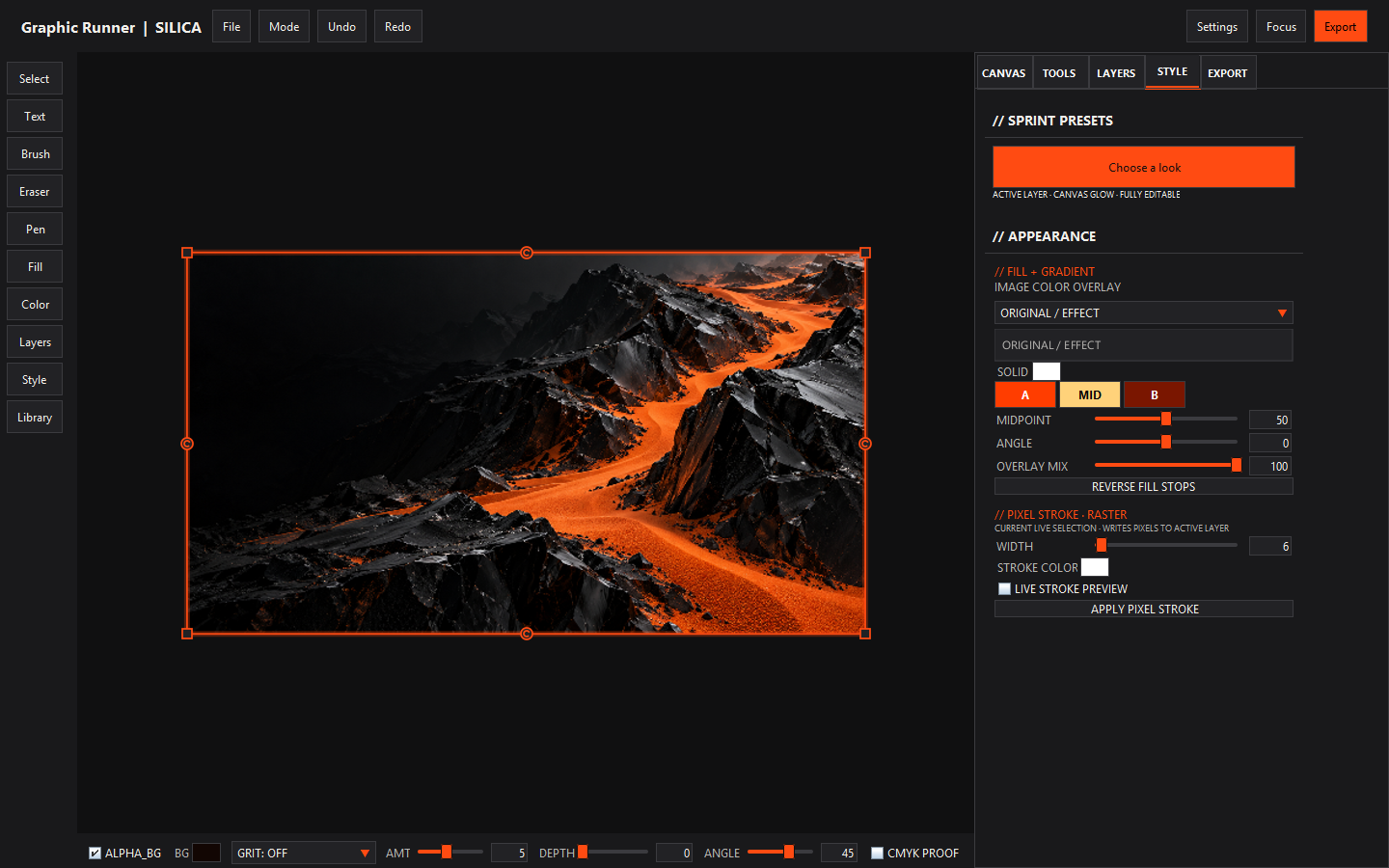
Keep your composition in view while you work with layers and the tools around it. Arrange tool sections with UI Manager to suit your workflow.
02 / A CLEAR PATH
Start with a canvas preset and orientation, or open an existing piece. Layout tools let you place and organize multiple artboards.
Create lettering in Type Lab, work with vector shapes, and arrange image and text layers. Convert Type Lab lettering to editable curves with Vector Type.
Explore authored materials and post-processing. Use layer masks to decide what shows, and adjust color and effects as you refine the piece.
Keep an editable document for later changes. Export finished artwork using the app’s export tools, including print-quality PDF.
03 / A SMALL CREATIVE EXPERIMENT
Change the text, choose a finish, and adjust the scale. This lightweight browser illustration explains the workflow; it is not the app’s rendering engine.
Illustrative demo · no files uploaded · no AI requests
KEEP EXPLORING